
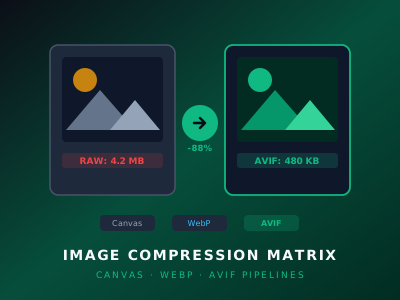
Images remain the single largest contributor to page weight across the modern web. According to HTTP Archive data, images account for over 45% of total bytes transferred for the median web page. For web developers and SaaS teams, delivering responsive, high-fidelity images while maintaining strict Core Web Vitals (specifically Largest Contentful Paint, or LCP) requires intelligent asset optimization.
Traditionally, image compression meant integrating server-side services (like Sharp on Node.js or Cloudinary). However, modern browser APIs now make it possible to perform high-ratio lossy and lossless image compression directly on the client before assets are saved, previewed, or transferred.
In this guide, we examine the three primary client-side image compression strategies utilized in LS Image—LadeStack’s browser-based image optimization utility—and compare their compression ratios, browser compatibility, and CPU performance.
Strategy 1: HTML5 Canvas 2D Re-Encoding
The simplest, most universal client-side compression pipeline leverages the browser’s built-in 2D Canvas rendering engine. When an image is drawn onto an HTML5 <canvas> element, developers can export the raster bitmap using HTMLCanvasElement.toBlob().
/**
 * Compresses an image using the native HTML5 Canvas API
 */
export async function compressViaCanvas(
  file: File,
  quality: number = 0.8,
  targetFormat: 'image/jpeg' | 'image/webp' = 'image/webp'
): Promise<Blob> {
  const bitmap = await createImageBitmap(file);
  const canvas = document.createElement('canvas');
  canvas.width = bitmap.width;
  canvas.height = bitmap.height;

  const ctx = canvas.getContext('2d', { alpha: targetFormat === 'image/webp' });
  if (!ctx) {
    throw new Error('Canvas 2D context not supported');
  }

  ctx.drawImage(bitmap, 0, 0);

  return new Promise((resolve, reject) => {
    canvas.toBlob(
      (blob) => {
        if (blob) resolve(blob);
        else reject(new Error('Canvas toBlob serialization failed'));
      },
      targetFormat,
      quality
    );
  });
}
Critical Specification Nuance: MIME Type Fallback
Per the W3C HTML Living Standard, if a browser engine does not support encoding to the requested export MIME type (for example, attempting image/avif on an engine without native canvas encoding support), toBlob() will silently fall back to exporting image/png. In production code, developers must always verify blob.type against their requested MIME type or feature-detect encoder capabilities before proceeding.
Advantages of Canvas Re-Encoding:
- Zero Dependencies: Uses the browser’s built-in GPU/CPU graphics pipeline without downloading third-party JavaScript libraries.
- Hardware Acceleration: Modern browsers offload canvas rasterization and filtering directly to hardware graphics chips.
- Universal Evergreen Support: Supported across modern evergreen desktop and mobile browsers adhering to the HTML5 Canvas 2D specification.
Strategy 2: WebP Encoding
Introduced by Google, WebP has become the de facto standard format for web imagery, offering 25% to 34% smaller file sizes compared to equivalent JPEG files at matching SSIM (Structural Similarity Index) quality scores.
In client-side JavaScript, WebP encoding is natively accessible through canvas.toBlob(callback, 'image/webp', quality). Modern browser engines (Blink, Gecko, and WebKit since Safari 14) include optimized libwebp encoders directly within the browser runtime.
// Progressive quality step-down to meet a strict byte budget
export async function compressToByteBudget(
  file: File,
  maxBytes: number = 200 * 1024 // 200 KB target
): Promise<Blob> {
  let quality = 0.85;
  let compressedBlob = await compressViaCanvas(file, quality, 'image/webp');

  while (compressedBlob.size > maxBytes && quality > 0.4) {
    quality -= 0.1;
    compressedBlob = await compressViaCanvas(file, quality, 'image/webp');
  }

  return compressedBlob;
}
Strategy 3: Next-Generation AVIF Compression
AV1 Image File Format (AVIF) represents the cutting edge of image compression technology. Derived from the AV1 video codec developed by the Alliance for Open Media (AOMedia), AVIF offers significant compression advantages over WebP, frequently achieving 50% smaller payloads than JPEG and 20% smaller than WebP with superior preservation of high-frequency details, color gradients, and text clarity.
While native browser encoding support for AVIF via canvas.toBlob('image/avif') is currently emerging in Chromium-based browsers, WebAssembly (Wasm) builds of libavif allow web applications to compress images to AVIF across all modern browsers.
Format Capabilities & Architectural Tradeoffs
Rather than relying on synthetic benchmark numbers that vary widely across hardware and image entropy, engineering evaluations should examine the architectural characteristics, algorithmic efficiency, and browser execution pipelines of each format:
| Format & Encoding Method | Typical Relative Efficiency | In-Browser Execution Pipeline | Computational Overhead | Primary Engineering Fit |
|---|---|---|---|---|
| Standard Baseline JPEG | Baseline (0%) | Native HTML5 Canvas 2D (image/jpeg) |
Minimal (Hardware accelerated) | Legacy fallback for older clients |
Canvas WebP (image/webp) |
~25–35% reduction vs JPEG | Native HTML5 Canvas 2D engine | Low (Near-instantaneous in UI thread) | Real-time interactive uploads & bulk processing |
WebAssembly AVIF (libavif) |
~40–55% reduction vs JPEG | Compiled C/Rust WASM worker thread | High (CPU-intensive multi-pass) | High-compression archival & extreme bandwidth constraints |
Engineering Performance Note: In production environments, actual compression ratios and encode durations depend heavily on image spatial entropy, resolution, color subsampling, device thermal headroom, and browser JavaScript runtime optimizations. WebP via native Canvas delivers the most balanced tradeoff for general web applications, while AVIF encoding should strictly be offloaded to background Web Workers to prevent main-thread UI jank.
Architectural Tradeoffs:
- For Real-Time User Workflows: Native Canvas WebP is the recommended default. It achieves substantial byte reductions using built-in browser rendering engines without requiring external WASM dependencies.
- For Maximum Bandwidth Savings: AVIF offers superior compression efficiency at equivalent visual fidelity, but requires dedicated Web Worker threads to manage the increased CPU encode cycle.
Integrating Client Optimization into Web Apps
Implementing client-side image compression prior to uploading files to Amazon S3, Cloudflare R2, or Firebase Storage yields three key operational benefits:
- Reduced S3 Storage Bills: Storing 700 KB WebP assets rather than 5 MB raw JPEGs reduces storage fees by over 80%.
- Faster Upload Speeds: Uploading smaller files over mobile networks significantly decreases form abandonment rates.
- Lower Egress Bandwidth: End-users download smaller payloads, improving Largest Contentful Paint (LCP) scores and search engine rankings.
To optimize your images instantly in the browser without uploading them to any server, try the LS Image Compressor on LadeStack. For more technical guides, explore our Engineering Documentation.